
Download TicketCreator – create tickets, print tickets, event tickets, ticket design, ticket layout, venue seating, ticket pricing, custom ticket, event organizer, season pass
Overview
TicketCreator is a productivity-focused mobile application designed to assist event organizers in creating and printing tickets for a wide range of events. From small private gatherings to large-scale concerts, the app provides a flexible platform for managing ticketing needs without relying on third-party services. Its core purpose lies in empowering users to design, price, and print event tickets with full control over layout and structure. This makes it particularly useful for independent organizers, community groups, and small-to-medium event producers who require a cost-effective, customizable solution.
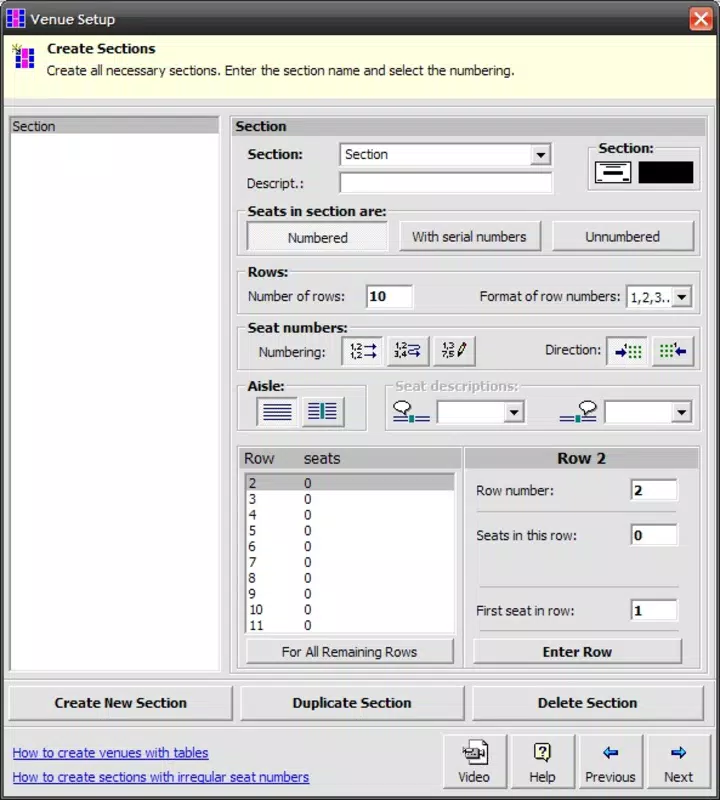
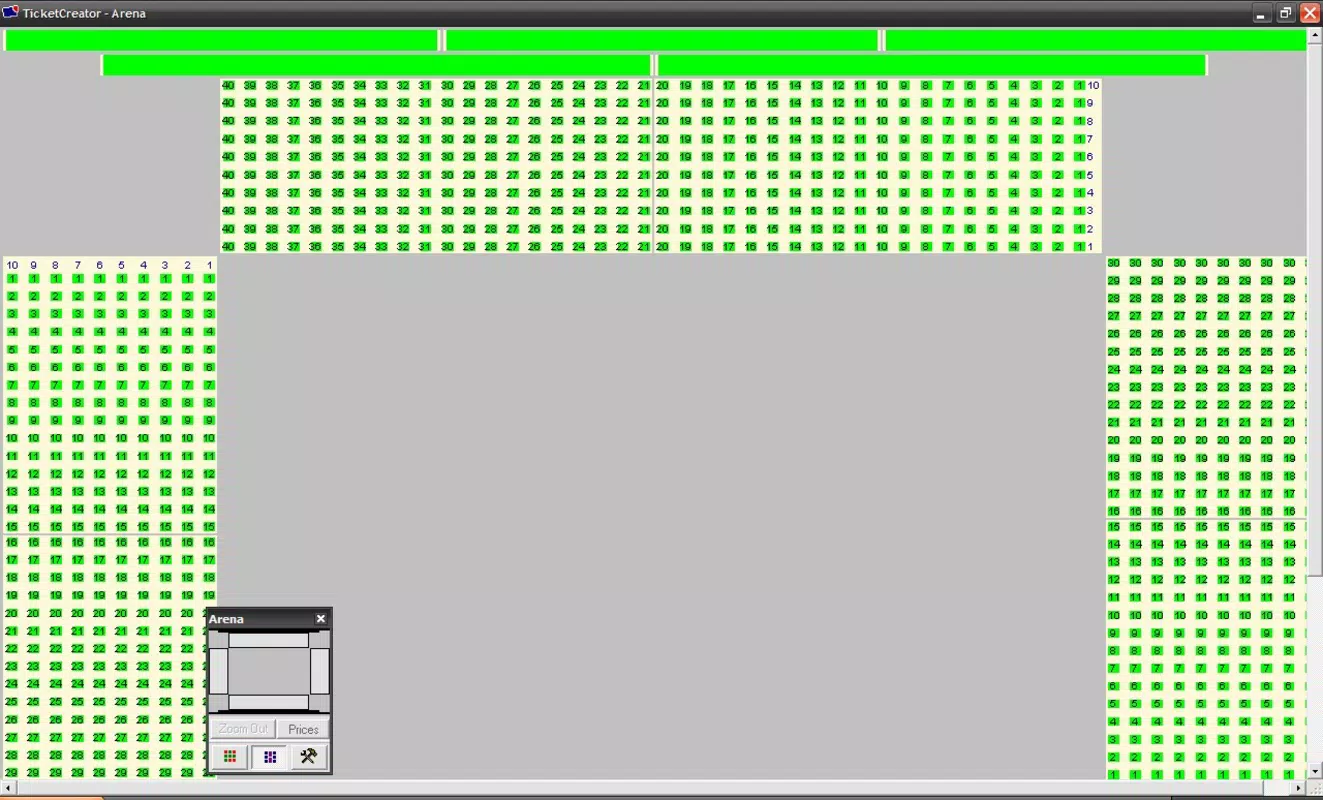
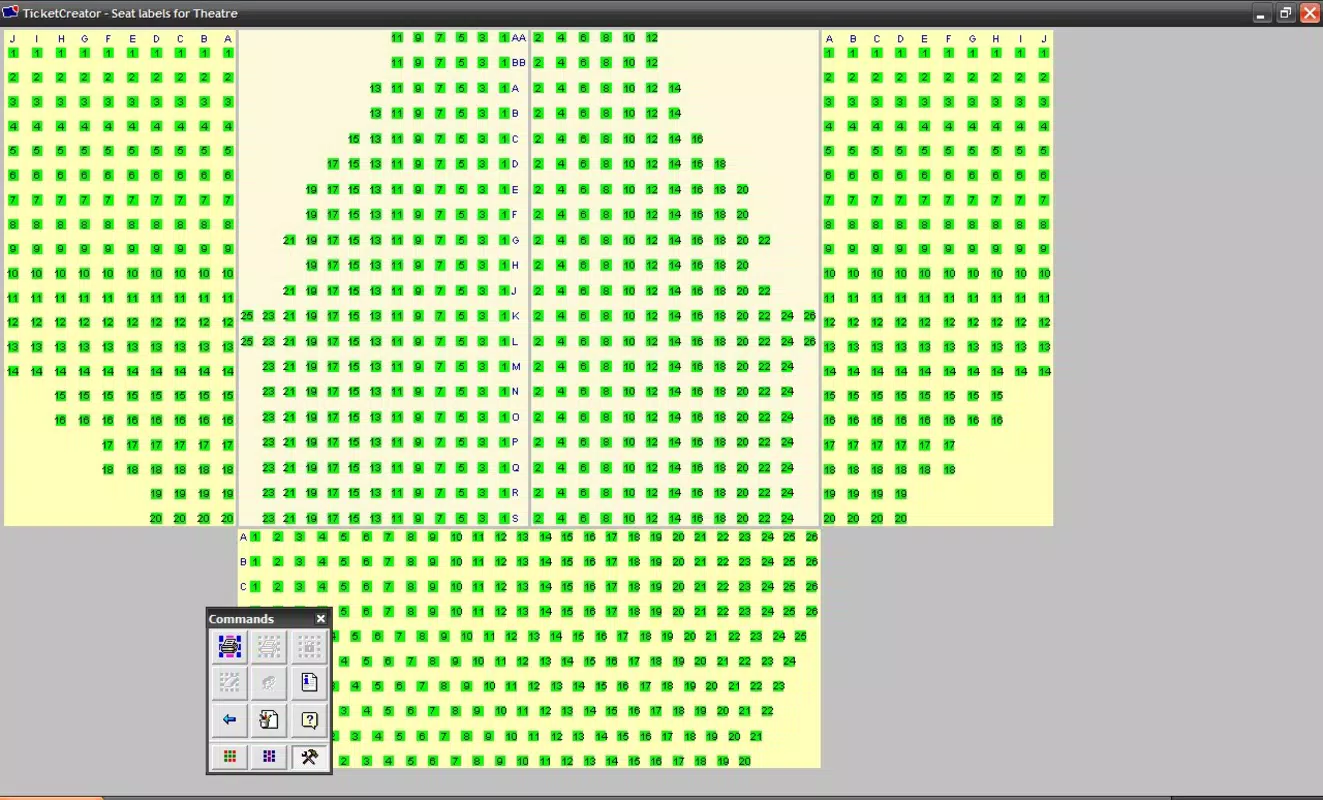
The app enables users to manually define venue layouts and seating arrangements, which is essential for accurately representing seat locations on tickets. This functionality supports both single-event tickets and season passes, offering versatility across different types of events. Real-world use cases include theater performances, sports matches, school events, and music festivals where precise ticket labeling and pricing tiers are required. By allowing users to set different price sections and manage seat numbering by row and column, TicketCreator streamlines the organizational workflow for ticket distribution.
Although the developer did not provide additional technical details, the app’s long-standing presence since its release on May 12, 2015, suggests a stable and reliable tool within the event management ecosystem. Its free pricing model enhances accessibility, making it a valuable utility for budget-conscious organizers. The application fills a niche by offering direct control over ticket creation without the need for complex software or subscription fees.
Key Features & Functionality
- Custom Layout Creation: Users can manually design venue layouts, specifying the number of seats per row and their arrangement. This feature is ideal for unique or non-standard venues where pre-set templates are insufficient.
- Flexible Pricing Options: The app supports multiple pricing tiers based on sections, allowing organizers to assign different prices to different areas of the venue for enhanced revenue management.
- Personalized Ticket Design: Organizers can customize colors, fonts, and overall layout to reflect event branding or thematic elements, improving attendee experience and ticket authenticity.
- Versatile Printing Options: Compatible with any standard printer, enabling on-site or remote printing. This flexibility ensures that users are not restricted by specific hardware requirements.
- Event Variety Support: The application accommodates single events, recurring shows, and season passes, making it suitable for diverse organizational needs across multiple event formats.
For example, a community theater group could use TicketCreator to design tickets for a multi-week play series, assigning different seat prices based on proximity to the stage and printing them in bulk. Similarly, a local music venue might create custom tickets for a concert series with unique branding and seating maps. These real-world applications demonstrate how the app supports both creativity and operational efficiency in event management.
Interface, UX & Performance
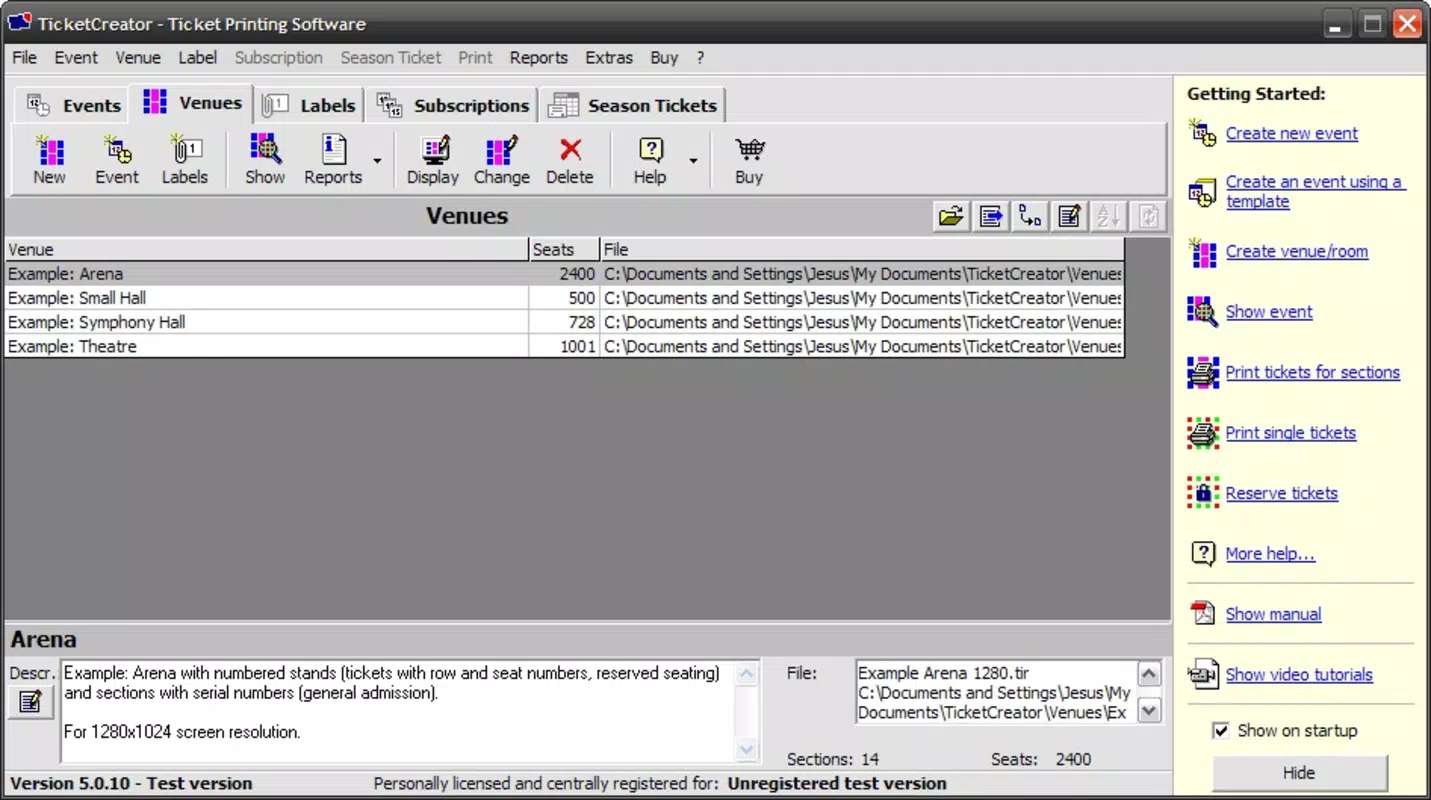
TicketCreator features a clean, intuitive interface designed for ease of use, particularly for users managing ticketing tasks without advanced technical skills. The navigation flow is straightforward, allowing users to move between layout design, pricing settings, and print preparation with minimal friction. Visual elements are organized in a logical manner, with clearly labeled sections for seat mapping, pricing tiers, and design customization.
Although the developer did not list formal performance metrics, the app’s consistent operation across various Android devices suggests stable performance. Users can expect responsive interactions during layout creation and design adjustments, with minimal lag during standard use. The app’s lightweight nature—only 14.2 MB in size—indicates efficient resource usage, which contributes to smooth performance on both older and newer Android devices.
Stability appears to be a strong suit, given the app’s longevity since its 2015 release. While no specific information was provided about crash rates or update frequency, the continued availability of the app implies ongoing maintenance. The interface remains functional and accessible, with no reported issues related to usability or navigation.
Platform Compatibility & Technical Requirements
TicketCreator is available exclusively on the Android platform. The current version is 2.1.1, with a file size of 14.2 MB. The developer did not specify minimum OS requirements or compatibility details for specific Android versions. This lack of information means users should exercise caution when installing on older or less common Android devices.
Compatibility information was not fully disclosed, so it is unclear whether the app supports Android 5.0 or later, or if it functions on devices with limited processing power or low RAM. However, the app’s relatively small size suggests it may run efficiently on a broad range of Android hardware. Users are advised to check their device’s compatibility before installation, especially if using outdated systems.
Pros and Cons
Pros
- Free to download and use, reducing entry barriers for small organizers.
- Full control over ticket layout and seating arrangements.
- Supports multiple pricing tiers and event types, including season passes.
- Compatible with any printer, enhancing printing flexibility.
- Lightweight design with minimal storage impact.
Cons
- Manual layout creation may require more time and effort than template-based tools.
- Specific technical requirements were not listed.
- No official information on update frequency or long-term support.
- Limited to Android platform; no iOS availability was confirmed.
- Design customization may be challenging for users without design experience.
FAQ
Is TicketCreator available for iOS devices?
The developer did not confirm iOS compatibility. The app is currently available only on Android.
Can I use TicketCreator to print tickets for a season pass?
Yes, the app supports the creation of season passes as well as single-event tickets, making it suitable for recurring events.
Does TicketCreator require an internet connection?
The app functions offline once installed. However, some features may require connectivity for updates or external resources.
How do I update TicketCreator?
Updates are available through the official Android app store. Users should check for updates regularly to ensure access to the latest version.
Is TicketCreator secure for handling event data?
As a local application, TicketCreator stores data on the device. Users are responsible for securing their devices and backing up ticket designs.
Final Thoughts
TicketCreator stands out as a practical, no-frills solution for event organizers seeking full control over ticket creation and printing. Its ability to support custom layouts, flexible pricing, and diverse event formats makes it a valuable tool in the productivity space. While it lacks automated templates and may require a learning curve for design-heavy tasks, its free model and broad compatibility offer strong value.
Organizers who prioritize customization, cost efficiency, and on-the-go printing will benefit most from this app. Whether managing a small community event or a multi-show season pass, TicketCreator delivers a reliable, hands-on approach to ticketing.
Download TicketCreator now


